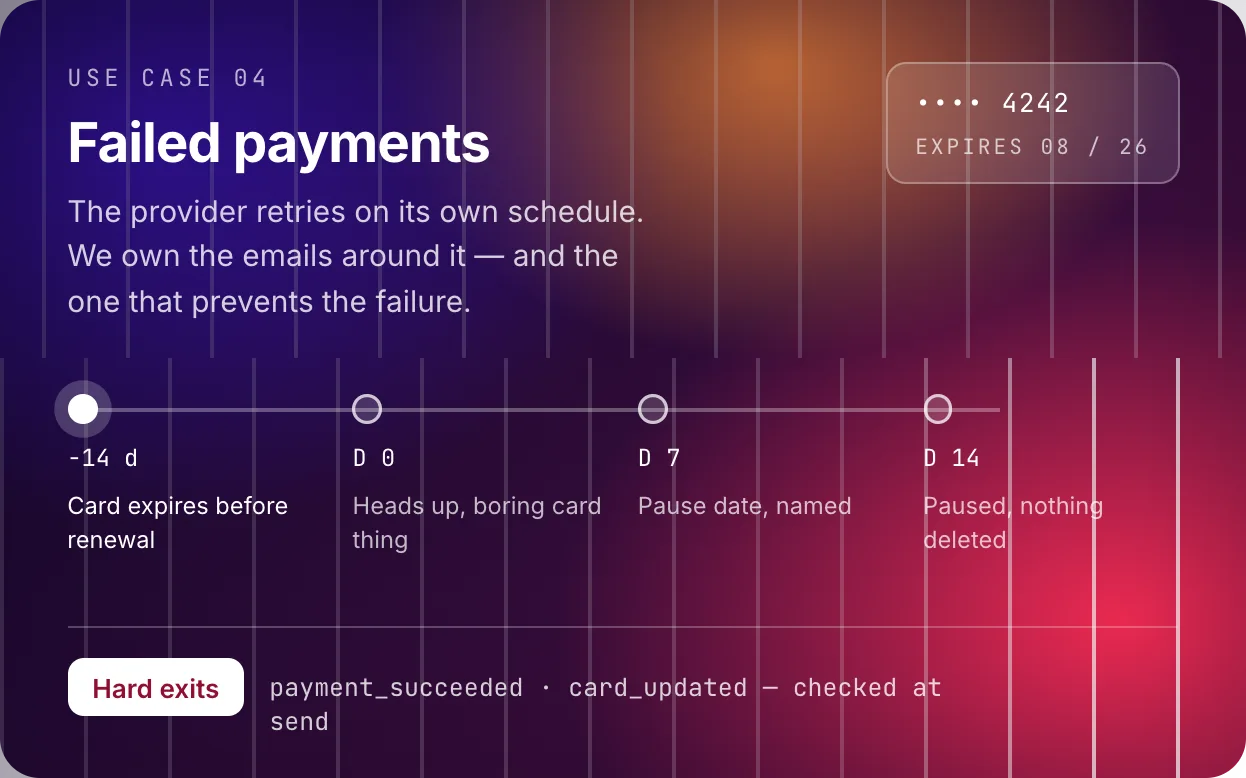
Some churn is a decision. Failed payment churn is an accident: a card expired, a bank got suspicious, a limit was hit. The customer never chose to leave, which makes this the cheapest churn you will ever fix. The goal is to recover revenue automatically when a card declines or expires, with a sequence that runs itself and never sounds like a debt collector.
Our situation
GetFluxly is a single plan billed monthly through our payment provider. The provider retries a failed charge on its own schedule, so we do not manage retries. What we manage is everything around them: the emails at each stage, when access actually changes, and the one email that prevents a chunk of failures from ever happening, the expiring card warning before renewal.
The tone constraint shaped everything. Our customers are mostly founders and tiny teams. A declined card is usually a reissued card after fraud somewhere else, not a money problem. The first email has to read like “heads up, boring card thing,” because that is what it almost always is.
What to track
All of these arrive as webhooks from the payment provider and become backend events:
-
payment_failed, with the failure reason and attempt number -
payment_succeeded -
card_updated -
card_expiring_soon, derived: the card on file expires before the next renewal, fired 14 days ahead -
subscription_paused
The derived event is the valuable one. Everything else reacts to a failure. card_expiring_soon prevents it.
Triggers, conditions, and the rules we took
Two exit conditions rule everything: payment_succeeded and card_updated stop the sequence instantly. Every email checks them at send
time, not at schedule time, because retries succeed mid sequence constantly and
“your payment failed” landing after the retry cleared is the fastest way to
look broken.
-
On
card_expiring_soon, 14 days before renewal: preemptive email. Best return in the whole sequence, because it turns a future failure into a non event. -
On
payment_failed, first attempt: immediate, friendly, zero blame. Access unchanged. We retry automatically, here is the link if you would rather fix it now. - Day 3, still failing: shorter and more direct. The update link is the whole email.
- Day 7, still failing: name the consequence with a date. Automations pause on that date if the card is not updated. Access still on until then.
- Day 14: pause the account, send the final email. Paused, nothing deleted, one click resumes. It deliberately mirrors our trial grace email, because it is the same promise.
One condition that is easy to get wrong: dedupe the sequence per billing cycle, not per event. A card that fails four retries in one cycle is one problem and gets one sequence. Key it on the invoice, or you will send four day one emails to the same person. And suppress all other marketing while dunning runs.
The timeline
Five touches maximum, and the first one exists so the other four often never send.
The emails
1. Expiring card (14 days before renewal)
 GetFluxly hello@getfluxly.com
 Your card expires before your next renewal
Hi {{first_name}},
The card on your GetFluxly account expires {{card_expiry_date}}, which is
before your renewal on {{renewal_date}}. Updating it now takes a minute and
saves you a failed payment email later.
That is the whole email.
2. First failure (day 0)
GetFluxly hello@getfluxly.com Heads up, your payment did not go through
Hi {{first_name}},
Today’s charge for GetFluxly did not go through. This is almost always a boring card thing: expired, reissued, or a cautious bank.
Nothing has changed on your account and your automations are still running. We will retry automatically over the next few days. If you would rather sort it now:
Update card3. Final notice (day 14, account paused)
GetFluxly hello@getfluxly.com Your automations are paused until the card is updated
Hi {{first_name}},
We could not process payment after several attempts, so your automations are now paused. Your events, profiles, and setup are all intact.
Updating the card restarts everything exactly where it left off:
Update cardIf something bigger is going on, reply. There is usually something we can work out.
Setting it up
-
Wire the provider’s webhooks into backend events. Include the attempt number and
failure reason on
payment_failed. -
Build the
card_expiring_soonderivation first. It is the only email here that prevents failures instead of chasing them. - Make both exit events hard stops checked at send time.
- Match access changes to what the emails promise, and put real dates in the emails, not “soon.”
- Dedupe per billing cycle, silence other campaigns during dunning, and keep the final email warm. The person on the other end did not choose any of this.